
Table of Contents
- 9.1. Get Animation
- 9.2. Set Animation
- 9.3. Bar Animation
- 9.4. Color Animation
- 9.5. Opacity Animation
- 9.6. Open Animation
- 9.7. Rotate Animation
- 9.8. Tooltip Animation
- 9.9. Slider Animation
- 9.10. Zoom Animation
- 9.11. Script Animation
- 9.12. Pop up Animation
- 9.13. Text Animation
- 9.14. Clone Animation
- 9.15. Minify SVG
Basic SCADA animation consists of Color Indication, Rotation, Bar (Level), Movement, Text (Data), Opacity (Hide/Show) and etc. Most SCADA applications can be achieved by using these basic animations. Below is a basic SCADA animation that can be easily configured with open source Inkscape+SAGE.

Basic SCADA Animation Mimic
SAGE (SCADA Animation Graphic Editor) is a modified interface for Inkscape. After completed with graphics, the next task is to attach animations to them accordingly. This can be done by editing the object properties. Open object properties by highlighting the object, right click on the object and then click on Object Properties. Alternatively, user can highlight the object and press CTRL + SHIFT + O to open up Object Properties window.
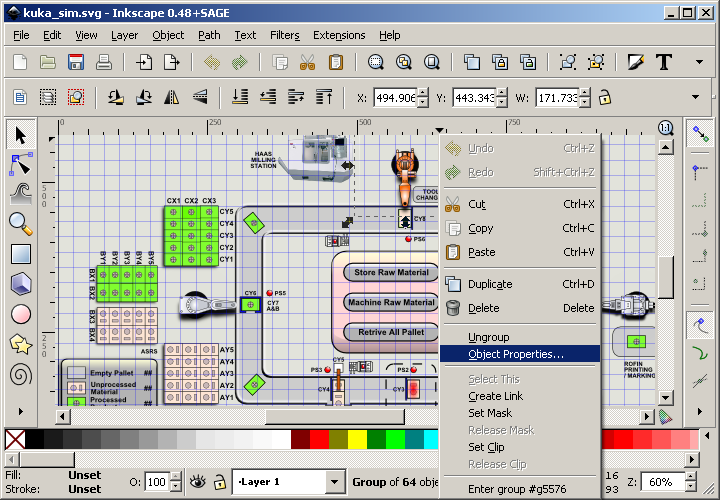
Right click to open object properties