
Clone animation allows user to duplicate a grouped object while keeping a unique tag name. This is useful when there are multiple similar objects such as pumps, valves, etc, and each of the objects has same animation but associated to different tags. Therefore Clone animation interface only appear on grouped graphic object when calling out Object Properties. To use clone animation, user must first design or differentiate the tag pattern of the tags inside the graphic group.
For example, a pump has 2 animations, and user wants to create 2 pumps, lets say the tags are: pump_1_state, pump_1_reading, pump_2_state & pump_2_reading. The difference between pumps are the numbers 1 and 2. When user assigns the animation, enter the tag pump_%n_state and pump_%n_reading instead. After the pump is completed in drawing, group the drawing by CTRL+G. This should be a reuseable pump object. Now, user can duplicate this pump object by pressing CTRL+D. Each of the duplicated clone object can be assigned clone animation into it, while should be n and should be 1 for the pump which uses pump_1_state & pump_1_reading tags in animation. For second pump, assign clone animation into the pump and make to be 2.
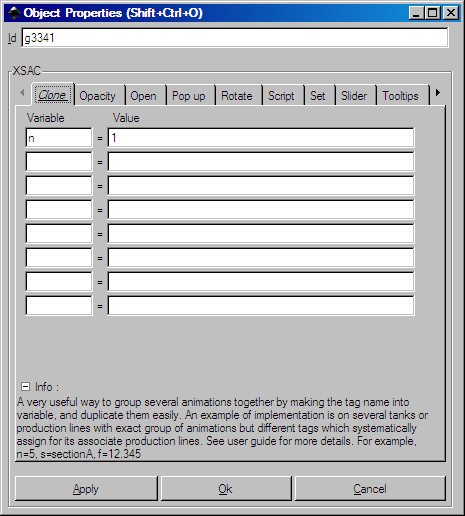
Clone Animation
The symbol % is an identifier to the animation system, therefore it is not required to be entered in field. And several variables can be entered in separate rows for use within a cloned graphic object. For example, tag_%n_%s_%d would have at least 3 entries in the list.
Clone can also be used for external SVG files and display as pop-up so that the drawing only need to be created once. This can be achieved by simply entering the SVG file into the animation with the set to . This is a more commonly known behavior of faceplate in SCADA.